
Swift & runtimeHistorical technical note
Swift 3.0 Design Patterns: Flyweight
Introduces the flyweight pattern through shared local-data managers. A dictionary reuses loaded data and tracks usage counts; unused data is saved and released. The example contrasts this lifecycle with a singleton that remains in memory.
Originally credited to Sindri; edited and archived by Bison.
Source listed in the originalOn this page

Editor: Bison
Source: Sindri’s Notes
Design patterns are classified, widely known, repeatedly used solutions distilled from code-design experience. The GoF proposed 23 patterns; this series implements them in Swift.
Overview
A design pattern that shares existing objects to reduce allocation overhead is called Flyweight.
Flyweight and Singleton resemble twins in appearance but serve different purposes:
- Singleton pattern
ensures that only one instance of the object occupies memory throughout the application's lifecycle and remains accessible at any time.
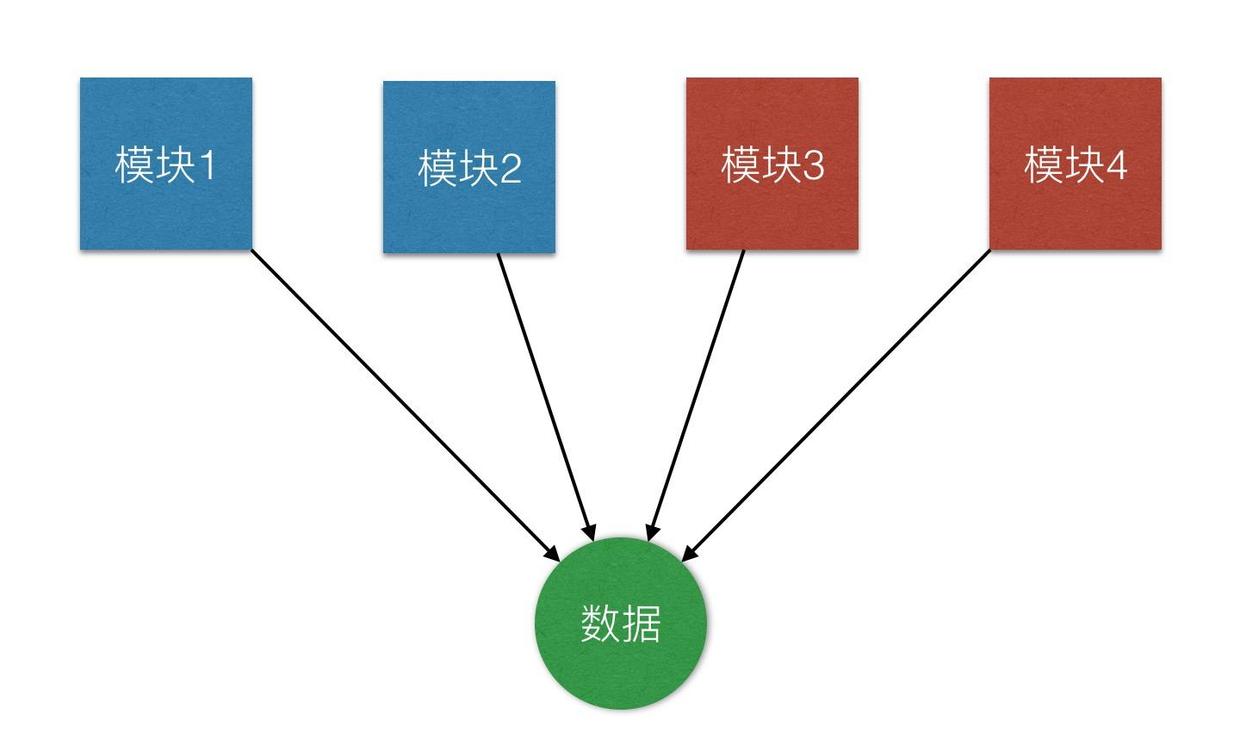
- Flyweight pattern
If a reusable object exists, share it rather than create another.
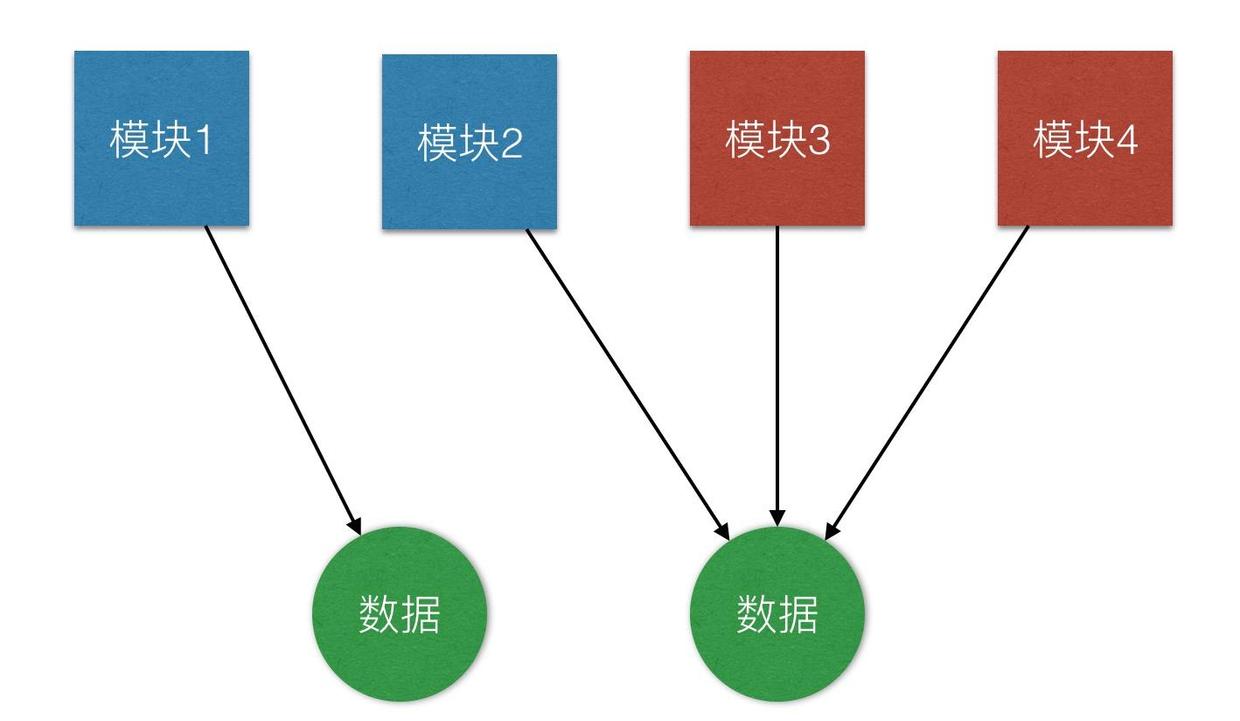
In iOS development, UITableView's reuse mechanism is a classic Flyweight example: offscreen cells are collected into a reuse queue and reused when a new cell is needed.
Putting it into practice
A recent project required nearly all data to be stored locally. Its modules also needed one another's data. Keeping everything in singletons would consume too much memory simultaneously, so I wrapped data management using the Flyweight approach:
class DataManager {
    //MARK: - Variable
    private static var shareStorage = [String: AnyObject]()
    private var storeKey = "DefaultKey"
    private var storeData = [AnyObject]()
    var data: [AnyObject] {
        get {
            return storeData
        }
    }

    //MARK: - Operate
    func insert(data: AnyObject) { }
    func delete(at index: Int) { }
    func save() { }
}
I use the data-model class name as the management key and a private static dictionary to retain data currently in use. Because data is encrypted in the sandbox, reading large amounts from disk is expensive. When creating a data-management object, check for reusable data first and load from disk only if none exists:
class DataManager {
    init() {
        initalizeData()
    }

    init(storeKey: String) {
        self.storeKey = storeKey
        initalizeData()
    }

    private func initalizeData() {
        if let data = DataManager.shareStorage[storeKey] {
            storeData = data as! [AnyObject]
        } else {
            loadData()
            DataManager.shareStorage[storeKey] = storeData as AnyObject?
        }
    }

    private func loadData() {
        //  load data from local path
    }
}
Data reuse now works. However, the dictionary cannot retain everything forever; a singleton would then be simpler. I use reference counts so unused data can be saved locally and released:
class DataManager {
deinit {
    let count = DataManager.shareStorage[countKey()] as! Int
    if count == 1 {
        save()
        DataManager.shareStorage[storeKey] = nil
    } else {
        DataManager.shareStorage[countKey()] = (count - 1) as AnyObject?
    }
}

private func initalizeData() {
    if let data = DataManager.shareStorage[storeKey] {
        let count = DataManager.shareStorage[countKey()] as! Int
        DataManager.shareStorage[countKey()] = (count + 1) as AnyObject?
        storeData = data as! [AnyObject]
    } else {
        loadData()
        DataManager.shareStorage[countKey()] = 1 as AnyObject
        DataManager.shareStorage[storeKey] = storeData as AnyObject?
    }
}

private func countKey() -> String {
    return "\(storeKey)Count"
} }
This is only the initial logic. Thread safety and other concerns still need handling; those are not implemented here.
Summary
When I first encountered Flyweight, I found it confusing and struggled to distinguish it from Singleton. Briefly, it retains Singleton's advantages while addressing some disadvantages, but is more complex. In a multithreaded environment, data races can be much more severe and dangerous than with a singleton.
Recommended reading: Implement an iOS launch-screen advertisement in minutes