
Data & networkingHistorical technical note
Using Alamofire with Swift 2.0
Shows how to import Alamofire manually, configure project dependencies and make network requests in a Swift 2.0 environment. Screenshots identify the project-linking settings, preserving an early framework integration and usage workflow.
Originally credited to Bison. Content is retained as published.
On this page
"iOS technical sharing, iOS development, iOS development tips, iOS development blog" Bison
Part 1: configure the project
Here I only describe adding third-party frameworks manually.Pods can look it up on Baidu. If you do not understand Pods can click the link.
Link
First, create a project as shown below.
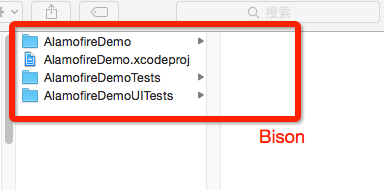
Then put all extracted Alamofire files into the project folder you created, as shown below.
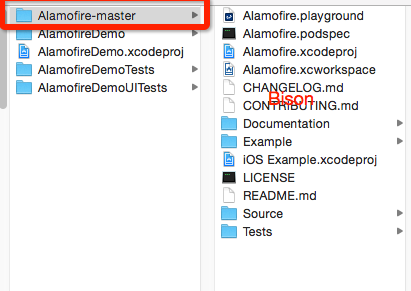
This is the crucial moment: concentrate and pay attention!
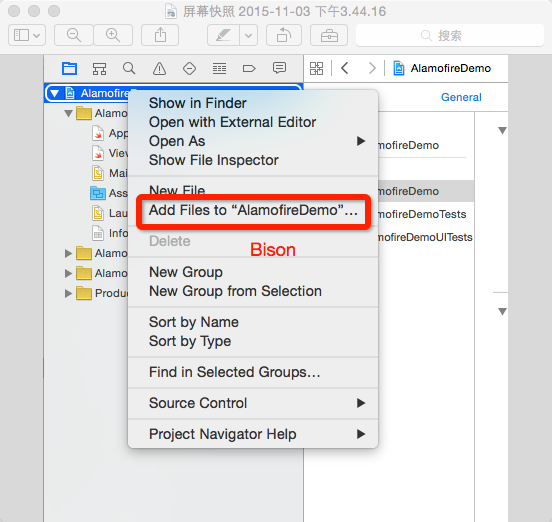
After this screen comes the most important step. Watch the red boxes carefully and do not choose the wrong option!
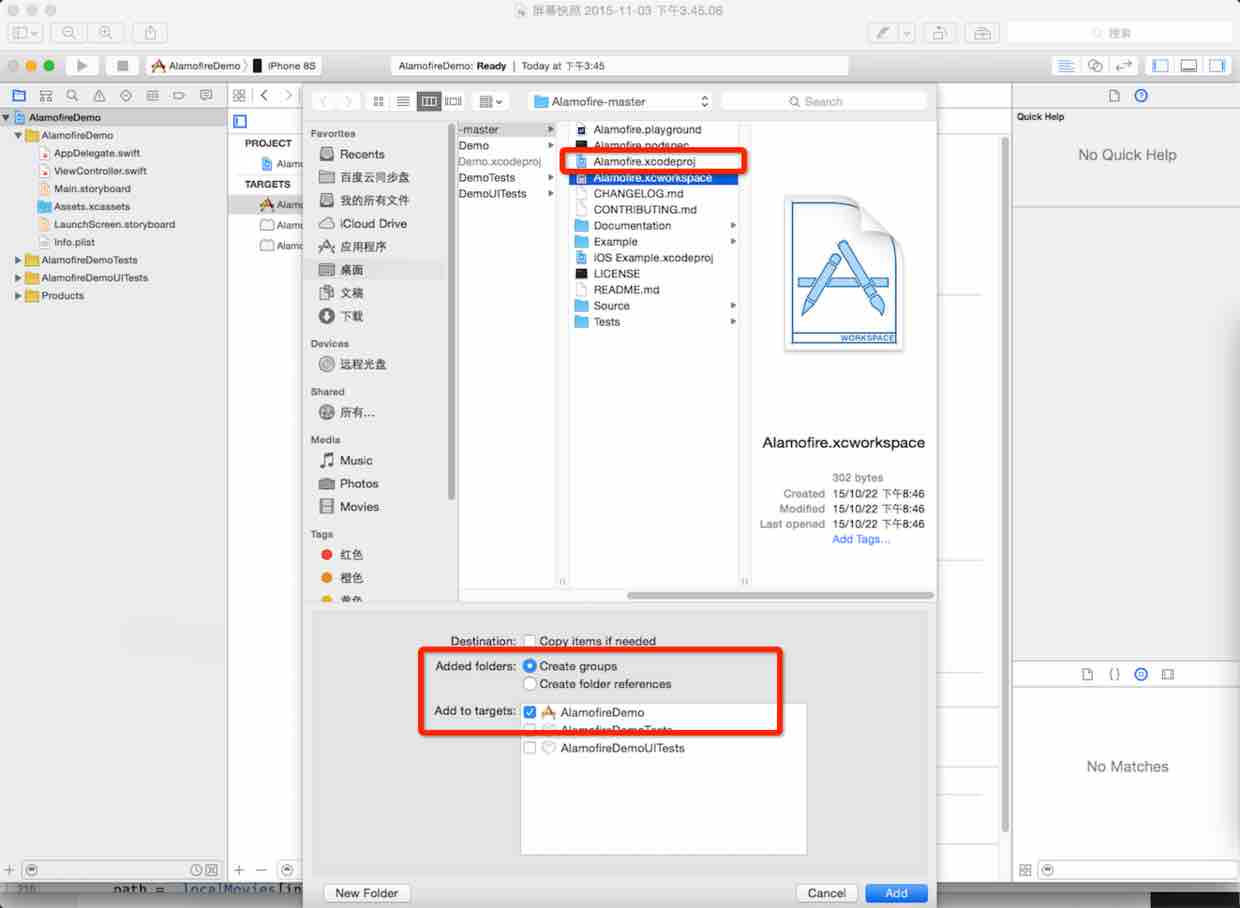
Next, add the Alamofire static library to the project, as shown below.
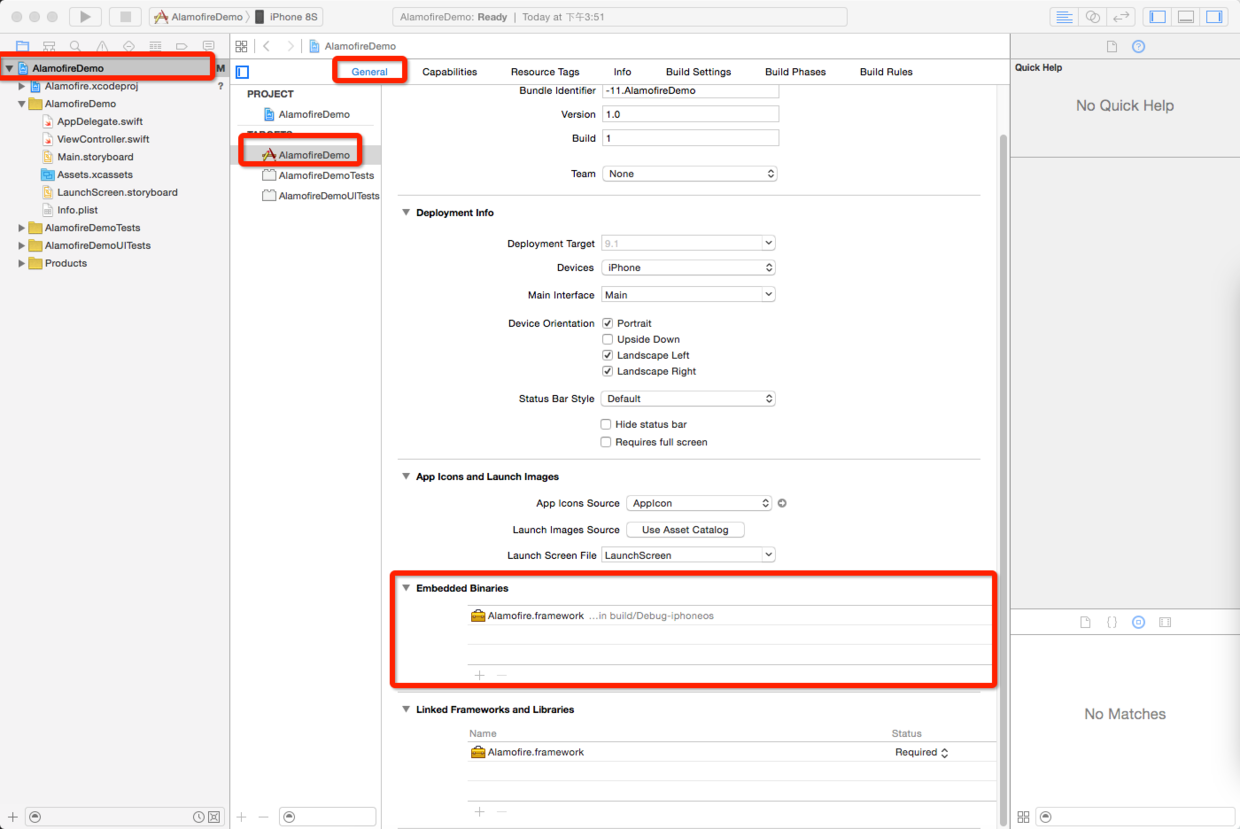
Then import the Alamofire header and run the project. If there are no errors, the imported files and project configuration are correct.
PS
A small tip from Bison: many third-party frameworks can be imported in a similar way, such as HanekeSwift.
Part two: Bison shows you how to use Alamofire.
import UIKit

import Alamofire

class ViewController: UIViewController {

    let BaiduURL = "http://apis.haoservice.com/lifeservice/cook/query?"

override func viewDidLoad() {
    super.viewDidLoad()
    //网络请求
    self .reloadData()
}

func reloadData(){


    let parameters = [
    "menu": "土豆",
    "pn":  1,
    "rn": "10",
    "key": "2ba215a3f83b4b898d0f6fdca4e16c7c",
    ]


    Alamofire.request(.POST, BaiduURL, parameters:parameters ).responseJSON {response in

    //            debugPrint(response)
    switch response.result {
        case .Success:
            //把得到的JSON数据转为字典
            if let j = response.result.value as? NSDictionary{
                //获取字典里面的key为数组
                let Items = j.valueForKey("result")as! NSArray
            //便利数组得到每一个字典模型
            for dict in Items{

                print(dict)
            }

        }
        case .Failure(let error):

            print(error)
        }


        }

    }

}
That concludes this tutorial. Leave a comment if you have questions; I will answer when I have time.
Recommended reading: An illustrated guide to implementing iOS in-app purchases
Original article: https://allluckly.cn/
Copyright © Bison. Please retain a hyperlink to the original article when reproducing it.