
Web & development notesHistorical technical note
Helping Baidu discover a GitHub Pages blog: a historical workflow
Records mirroring a GitHub Pages blog to GitCafe Pages, using SourceTree to clone and push branches, bind a domain and configure regional DNS. The workflow aimed to improve access and search indexing in mainland China at the time.
Originally credited to Bison. Content is retained as published.
On this page
“The only drawback of a Github blog is that Baidu cannot index it, costing a substantial amount of traffic.”
3 months ago, I set up my own technical blog on Github to record my experiences developing for iOS
along the way. After working on it for a while, the blog gradually accumulated content, and the major search engines
could generally find my blog posts, except Baidu. This made me anxious, so I searched for why Github
why a blog could not be indexed by Baidu. The explanation I found was that Baidu IP addresses had previously attacked Github's servers.
This led Github hosting to block Baidu's crawler. Most people solve this through CDN acceleration.
However, this seems unstable: Baidu's crawler may not succeed every time, reducing the site's Baidu ranking weight, whereas
The solution I will describe today is relatively stable: use Gitcafe hosting to solve the problem. Gitcafe
is a website similar to Github and also provides a pages service. What we need to do is copy our Github
website repository to Gitcafe. There are, of course, rules to follow when copying it.Gitcafe's pages
service differs somewhat from Github pages. Next, let's explain how to put a copy of the blog on Gitcafe
First, register a Gitcafe account. One thing to watch when creating the account
is that the username must not start with “_”, or problems will occur. After creating it, you may encounter a 404 page-not-found error.
I will not dwell on registration here. Let's explain the specific steps for creating Gitcafe pages.
## First, create a repository with the same name as your username, as shown below.

## Then fill in the relevant information, as shown below.
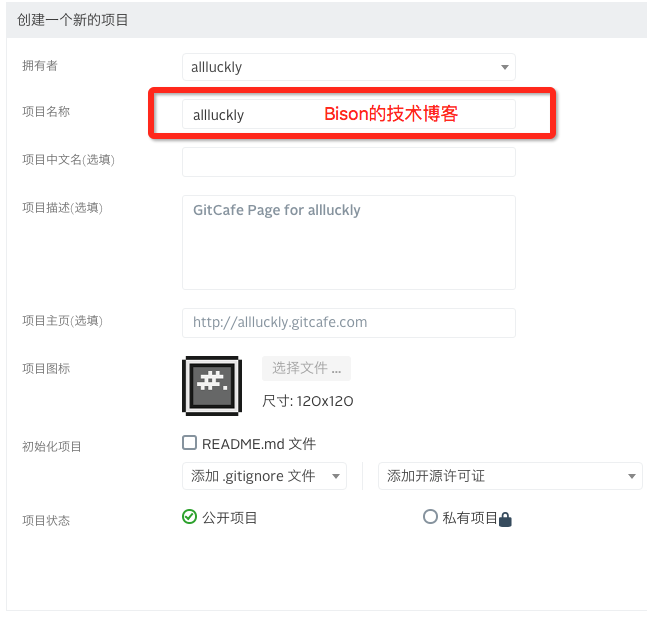
That completes the setup.
## Next, let's put the blog into the repository we just created.
Many online tutorials use the terminal git Create a branch and upload to that branch.
Today, let's cover something new and easy to understand, setting the terminal aside.git Use
git graphical tool SourceTree to do this. It is easy to understand and convenient for later maintenance.
For the Mac version, go to APP Store to download it. After downloading, open the application and add a repository.
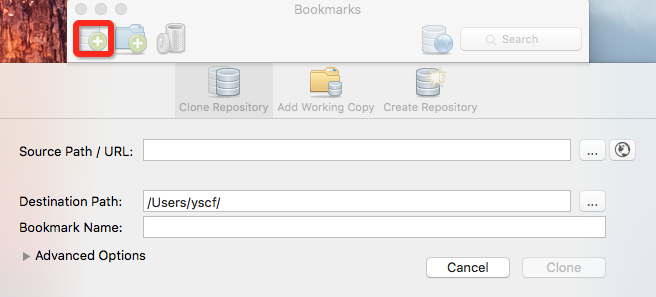
Next clone the repository created earlier to your computer. Create a local folder such as GitcafePages; its name is up to you. See the image below.
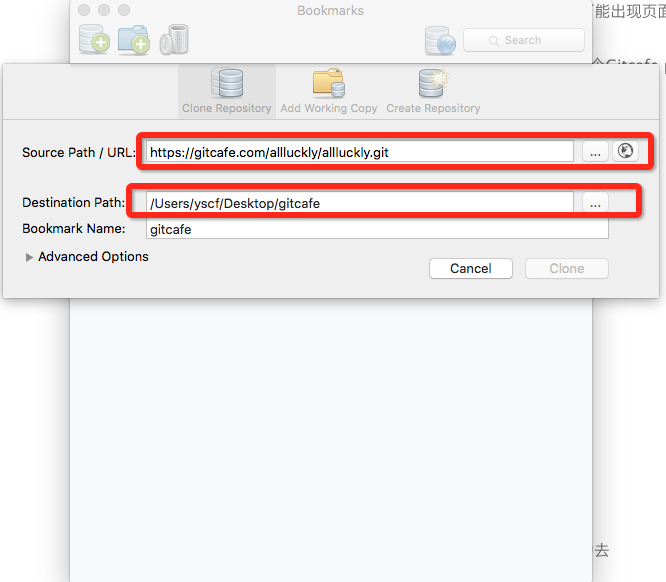
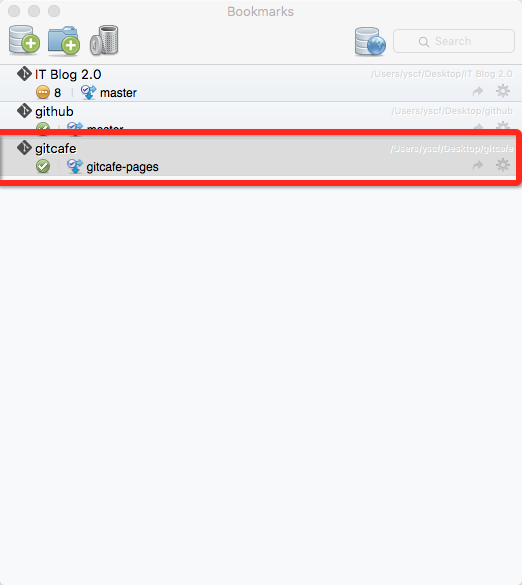
Next, copy all the files from the existing Github blog into this folder. Then, in SourceTree to create a
branch gitcafe-pages as shown below
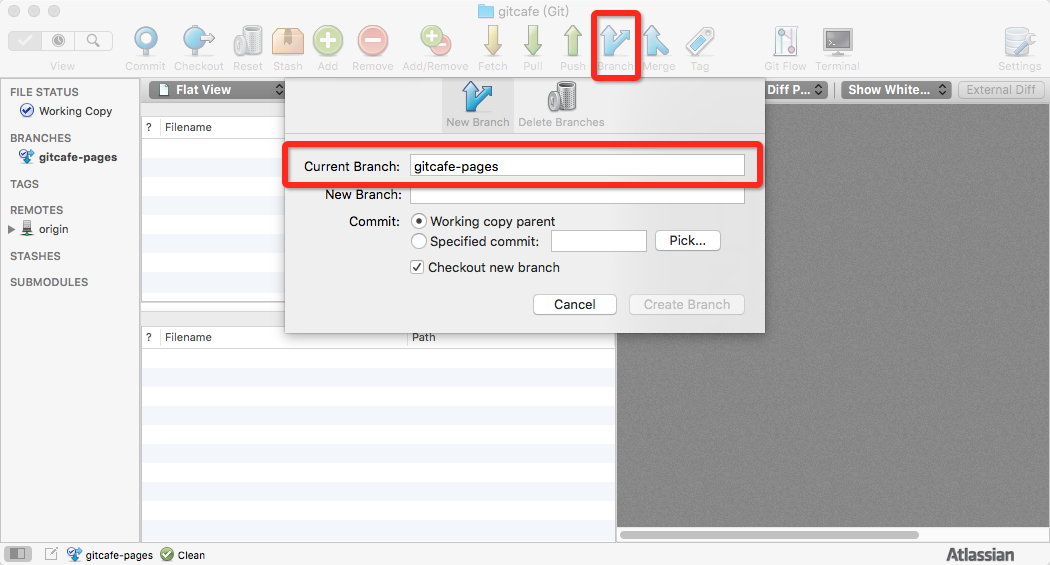
Switch to gitcafe-pages, then Add, Commit, and finally Push. Wait for the upload to finish.
## Bind a domain: open Project Settings → Pages Service, as shown below.
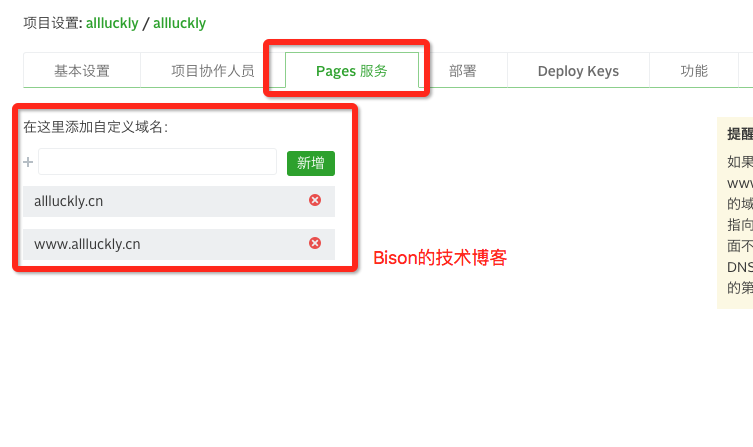
Then use region-based DNS resolution to direct visitors to different hosting locations. Below, I use Wanwang's domain resolution as an example.

The benefit of this setup is fast access both inside and outside China, so being indexed by Baidu follows naturally.
If you are skeptical, try searching Baidu for 😄 “Bison的技术博客”.
You can keep using this tool to maintain the blog later.SourceTree Whether using Github or Gitcafe, the only drawback
is that you must upload to both sides separately; they do not synchronize.
Recommended reading: Integrating a Baidu Mobile SSP launch ad in one minute
Copyright © Bison. Please retain a hyperlink to the original article when reproducing it.