
UIKit & graphicsHistorical technical note
Building a custom pop-up view with HWPopTool
Introduces HWPopTool integration and its controls for the content view, background overlay and close button. It also explains how to handle closing after the component changed its callback mechanism from a delegate to a block.
Originally credited to HenryCheng; edited and archived by Bison.
Source listed in the originalOn this page
Editor: Bison
Contributor: HenryCheng
“A while ago, a project required a red-packet popup after payment, allowing the user to send a red packet. The final result looked roughly as follows:”
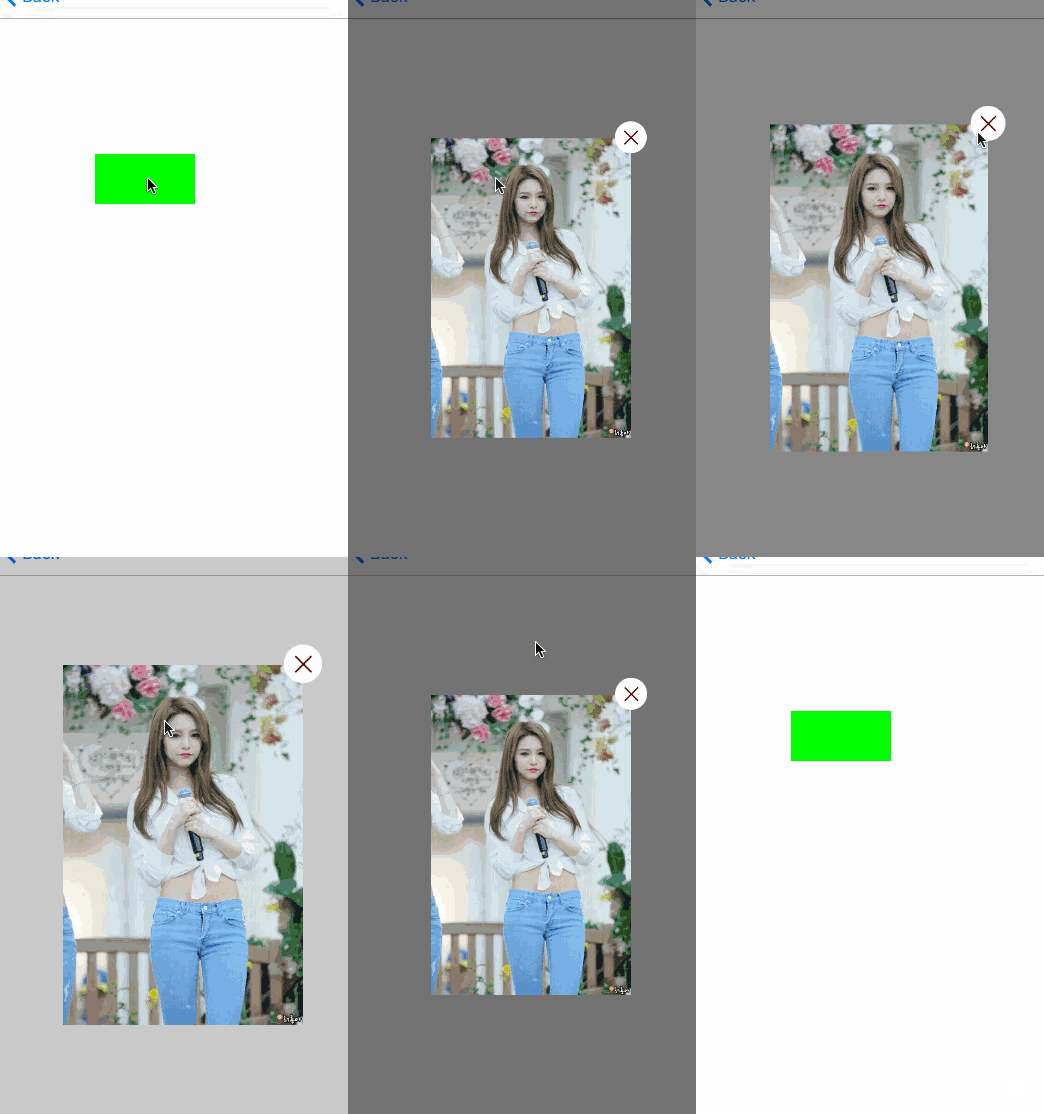
I. Usage
The ViewController code is roughly as follows:
//
//  SecondViewController.m
//  HWPopTool
//
//  Created by HenryCheng on 16/1/11.
//  Copyright © 2016年 www.igancao.com. All rights reserved.
//

#import "SecondViewController.h"
#import "HWPopTool.h"

@interface SecondViewController ()

@property (strong, nonatomic) UIView *contentView;

@end

@implementation SecondViewController

- (void)viewDidLoad {
    [super viewDidLoad];
    self.view.backgroundColor = [UIColor whiteColor];

    _contentView = [[UIView alloc] initWithFrame:CGRectMake(0, 0, 200, 300)];
    _contentView.backgroundColor = [UIColor clearColor];

    UIButton *btn = [UIButton buttonWithType:UIButtonTypeCustom];
    btn.frame = CGRectMake(100, 200, 100, 50);
    btn.backgroundColor = [UIColor greenColor];
    [btn addTarget:self action:@selector(popViewShow) forControlEvents:UIControlEventTouchUpInside];
    [self.view addSubview:btn];
}

- (void)popViewShow {
    UIImageView *imageV = [[UIImageView alloc]initWithFrame:_contentView.bounds];
    imageV.image = [UIImage imageNamed:@"jei"];
    [_contentView addSubview:imageV];

    [HWPopTool sharedInstance].shadeBackgroundType = ShadeBackgroundTypeSolid;
    [HWPopTool sharedInstance].closeButtonType = ButtonPositionTypeRight;
    [[HWPopTool sharedInstance] showWithPresentView:_contentView animated:YES];

}

- (void)didReceiveMemoryWarning {
    [super didReceiveMemoryWarning];
    // Dispose of any resources that can be recreated.
}

@end
We import HWPopTool.h and create a button. Its click handler is popViewShow.
Let's look at the code:
- (void)popViewShow {

    UIImageView *imageV = [[UIImageView alloc]initWithFrame:_contentView.bounds];
    imageV.image = [UIImage imageNamed:@"jei"];
    [_contentView addSubview:imageV];

    [HWPopTool sharedInstance].shadeBackgroundType = ShadeBackgroundTypeSolid;
    [HWPopTool sharedInstance].closeButtonType = ButtonPositionTypeRight;
    [[HWPopTool sharedInstance] showWithPresentView:_contentView animated:YES];

}
Here, we place an imageView on _contentView and then set shadeBackgroundType
and closeButtonType. The next line displays popView. The main idea here is to present
a view. You decide how large it is and what to place on it.
II. Some HWPopTool properties and methods
First, look at HWPopTool.h.
//
//  HWPopTool.h
//  HWPopTool
//
//  Created by HenryCheng on 16/1/11.
//  Copyright © 2016年 www.igancao.com. All rights reserved.
//

#import <Foundation/Foundation.h>
#import <UIKit/UIKit.h>
/**
*  关闭按钮的位置
*/
typedef NS_ENUM(NSInteger, ButtonPositionType) {
    /**
    *  无
    */
    ButtonPositionTypeNone = 0,
    /**
    *  左上角
    */
    ButtonPositionTypeLeft = 1 << 0,
    /**
    *  右上角
    */
    ButtonPositionTypeRight = 2 << 0
};
/**
*  蒙板的背景色
*/
typedef NS_ENUM(NSInteger, ShadeBackgroundType) {
    /**
    *  渐变色
    */
    ShadeBackgroundTypeGradient = 0,
    /**
    *  固定色
    */
    ShadeBackgroundTypeSolid = 1 << 0
};

typedef void(^completeBlock)(void);

@interface HWPopTool : NSObject

@property (strong, nonatomic) UIColor *popBackgroudColor;//弹出视图的背景色
@property (assign, nonatomic) BOOL tapOutsideToDismiss;//点击蒙板是否弹出视图消失
@property (assign, nonatomic) ButtonPositionType closeButtonType;//关闭按钮的类型
@property (assign, nonatomic) ShadeBackgroundType shadeBackgroundType;//蒙板的背景色

/**
*  创建一个实例
*
*  @return CHWPopTool
*/
+ (HWPopTool *)sharedInstance;
/**
*  弹出要展示的View
*
*  @param presentView show View
*  @param animated    是否动画
*/
- (void)showWithPresentView:(UIView *)presentView animated:(BOOL)animated;
/**
*  关闭弹出视图
*
*  @param complete complete block
*/
- (void)closeWithBlcok:(void(^)())complete;

@end
The earlier version was written in a hurry, so I used some free time today to reorganize the code. For example, the callback after closing originally used a delegate; I rewrote it with a block for a simpler implementation. I also commented nearly every method, property, and enumeration, as is my habit. A few points need explanation:
1.
ShadeBackgroundTypecontrols the overlay background type, with solid and gradient options (ShadeBackgroundTypeGradient). If interested in the gradient, explore CAGradientLayer; it is quite interesting and will appear in a later article.
2.
tapOutsideToDismissdetermines whether tapping the overlay dismissespopView. Its default is YES.
3.
- (void)closeWithBlcok:(void(^)())completeis the callback after closing, useful for cases such as returning to the previous page after sending a red envelope and waiting forpopViewto disappear.
The comments explain most things clearly, so I will not elaborate here.
III. Finally
When writing blog posts, I usually prefer to include the full code because I think it is easier to follow, except when it is very long.
Finally, all the demo code can be found at
Here, .
Recommended reading: Bison's guide to iOS multithreading, part 1