
UIKit & graphicsHistorical technical note
Recreating the Profile Avatar Wave Animation in Baidu Waimai
Breaks down the waves around a profile avatar: CADisplayLink drives updates, trigonometric functions generate the curves, and CAShapeLayer draws them. It explains the components needed for a continuous wave animation.
Originally credited to 乔同X; edited and archived by Bison.
Source listed in the originalOn this page
As a diligent young developer who refuses to leave his desk during lunch, ordering food is an essential habit. One day, I noticed the appealing wave effect in the Baidu Waimai APP. It looked better than other delivery apps; Taobao also has a wave effect. That prompted me to work out how to create this kind of “wave”.
Editor: Bison
Source: 乔同X's blog
Demonstration
Baidu Waimai wave effect:

What you need to know
CADisplayLink
Simply put, it is a timer that redraws the interface at the screen's refresh rate. Create it as follows:
CADisplayLink *timer = [CADisplayLink displayLinkWithTarget:self selector:@selector(wave)];
[timer addToRunLoop:[NSRunLoop currentRunLoop] forMode:NSRunLoopCommonModes];
CAShapeLayer
A CALayer subclass commonly used with CGPath to draw shapes.
Create it as follows:
CAShapeLayer *Layer = [CAShapeLayer layer];
Layer.frame =  self.bounds;
Layer.fillColor = self.realWaveColor.CGColor;
Layer...等属性
[self.view.layer addSublayer:Layer];
Advantages
-
Fast, efficient rendering: CAShapeLayer uses hardware acceleration and draws the same shape much faster than Core Graphics.
-
Efficient memory usage: unlike a regular CALayer, CAShapeLayer does not require a backing image, so it uses relatively little memory regardless of size.
-
It is not clipped to the layer's bounds. CAShapeLayer can draw outside them; its path is not clipped like that of a regular CALayer drawn with Core Graphics.
-
It does not become pixelated. Applying a 3D transform to CAShapeLayer does not pixelate it like a regular layer with a backing image.
Trigonometric functions


Implementation approach
UIView –> 2个CAShapeLayer –> imageView.frame.orgin.y调整
Main implementation
Properties and methods
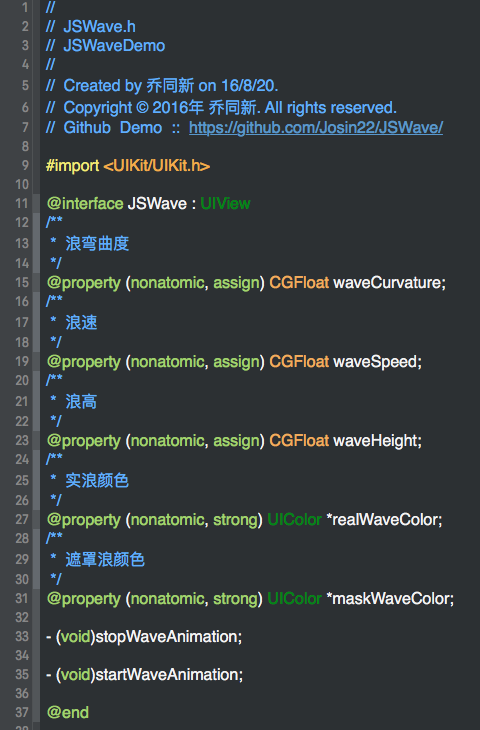
Implement
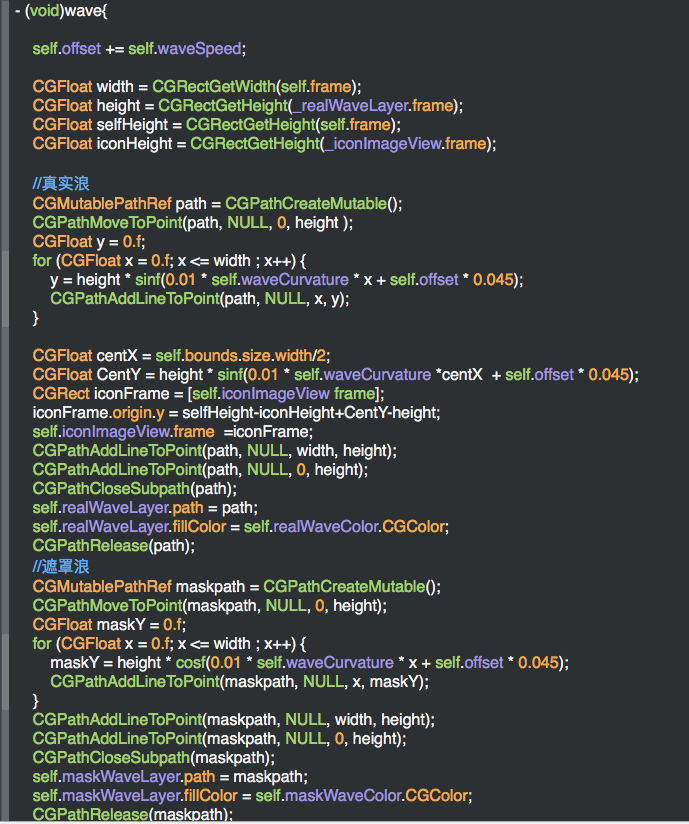
Call
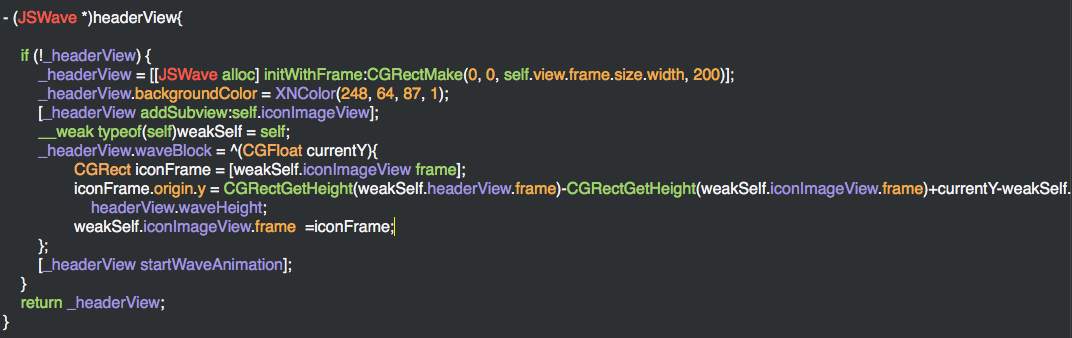
End
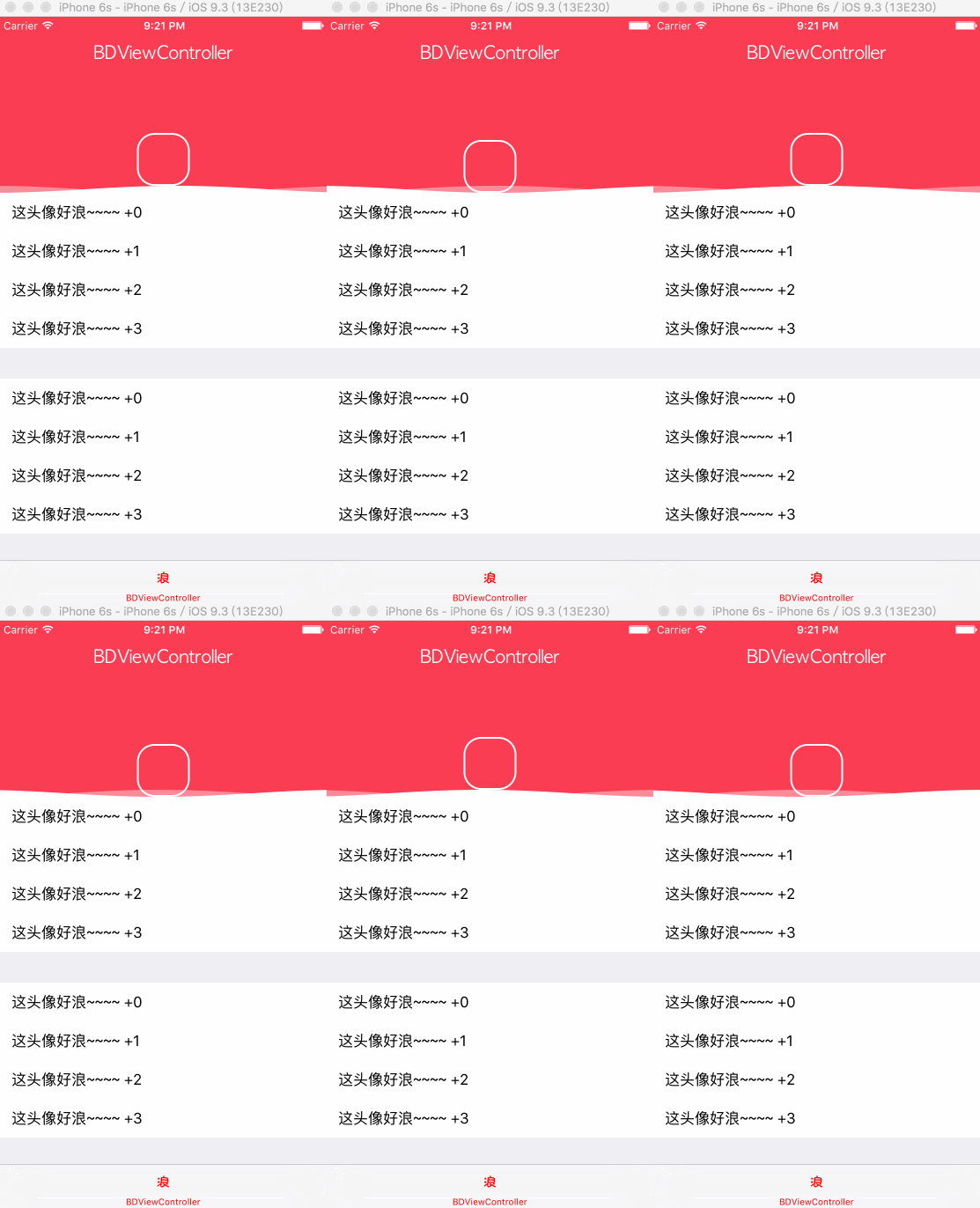
Final result:
Recommended reading: Implement an iOS launch-screen advertisement in minutes