
UIKit & graphicsHistorical technical note
Building a Pomodoro timer app for iOS
Connects timers, notification reminders, music playback and a Today Widget in a Pomodoro app. It identifies implementation entry points for card layouts, transitions, xib files and URL Schemes, helping readers follow how the features fit together in the project.
Originally credited to 威權在B612等着那阵温柔的风; edited and archived by Bison.
Source listed in the originalOn this page
"This is a Pomodoro-style app. Next I will show its features, explain their implementations and organise the sources I consulted. Choose a feature and add it to your own app."
Editor: Bison
Contributor: 威權在B612等着那阵温柔的风
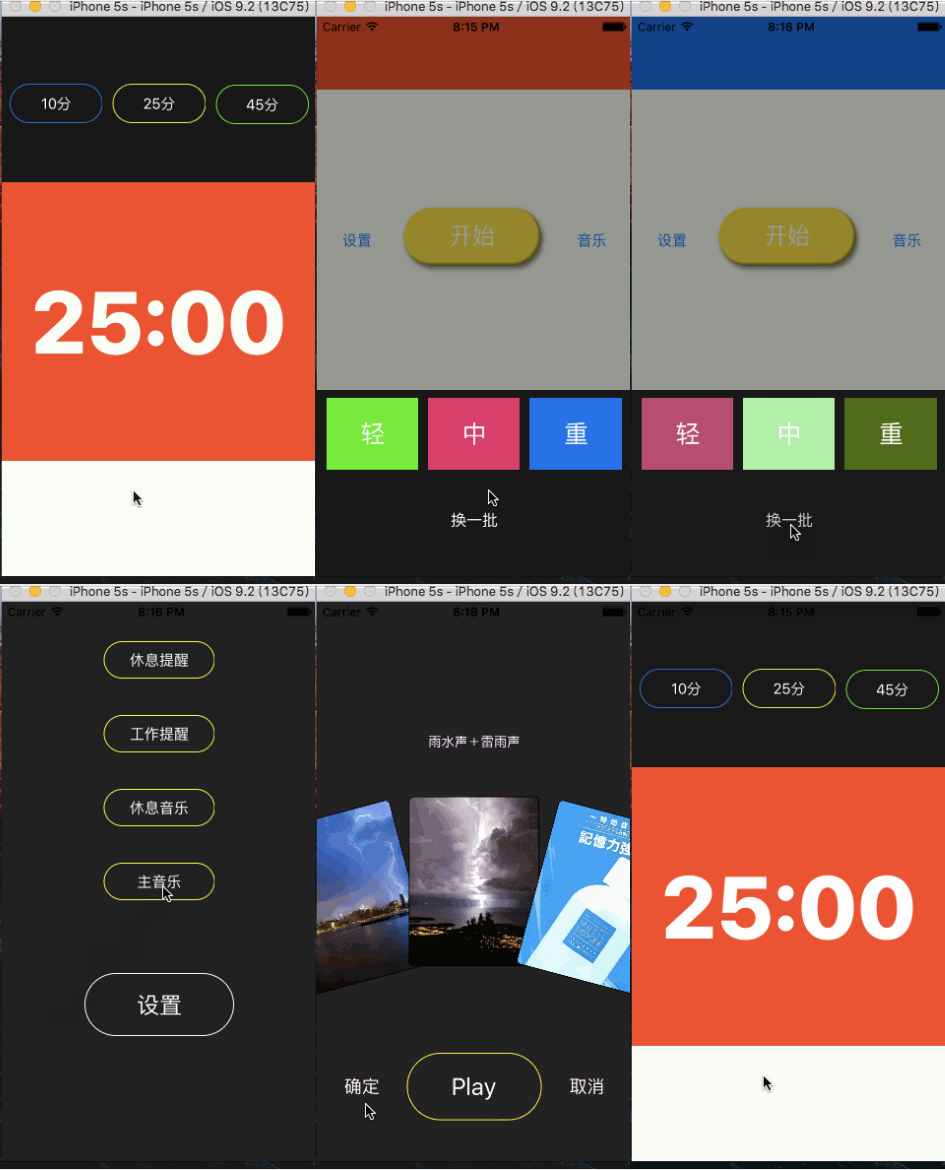
Introduction
App project URL: Click to download
For this app I investigated existing Pomodoro apps and wrote a Pomodoro App Survey.article
Article contents
-
Timer functionality
-
Notification reminders
-
Music playback
-
Today Widget
-
Custom UICollectionView Layout
-
Custom transitions
-
lldb
-
Read file paths
-
Developing with xib
-
Capsule-shaped Button
-
Using CocoaPods
-
UILabel and URL Scheme
Timer functionality
NSTimer
The following code runs timeUp every second.
NSTimer.scheduledTimerWithTimeInterval(1, target: self, selector: "timeUp:", userInfo: nil, repeats: true)
Use an if statement in timeUp to implement the timer.
Actionable notifications
The result is shown below:
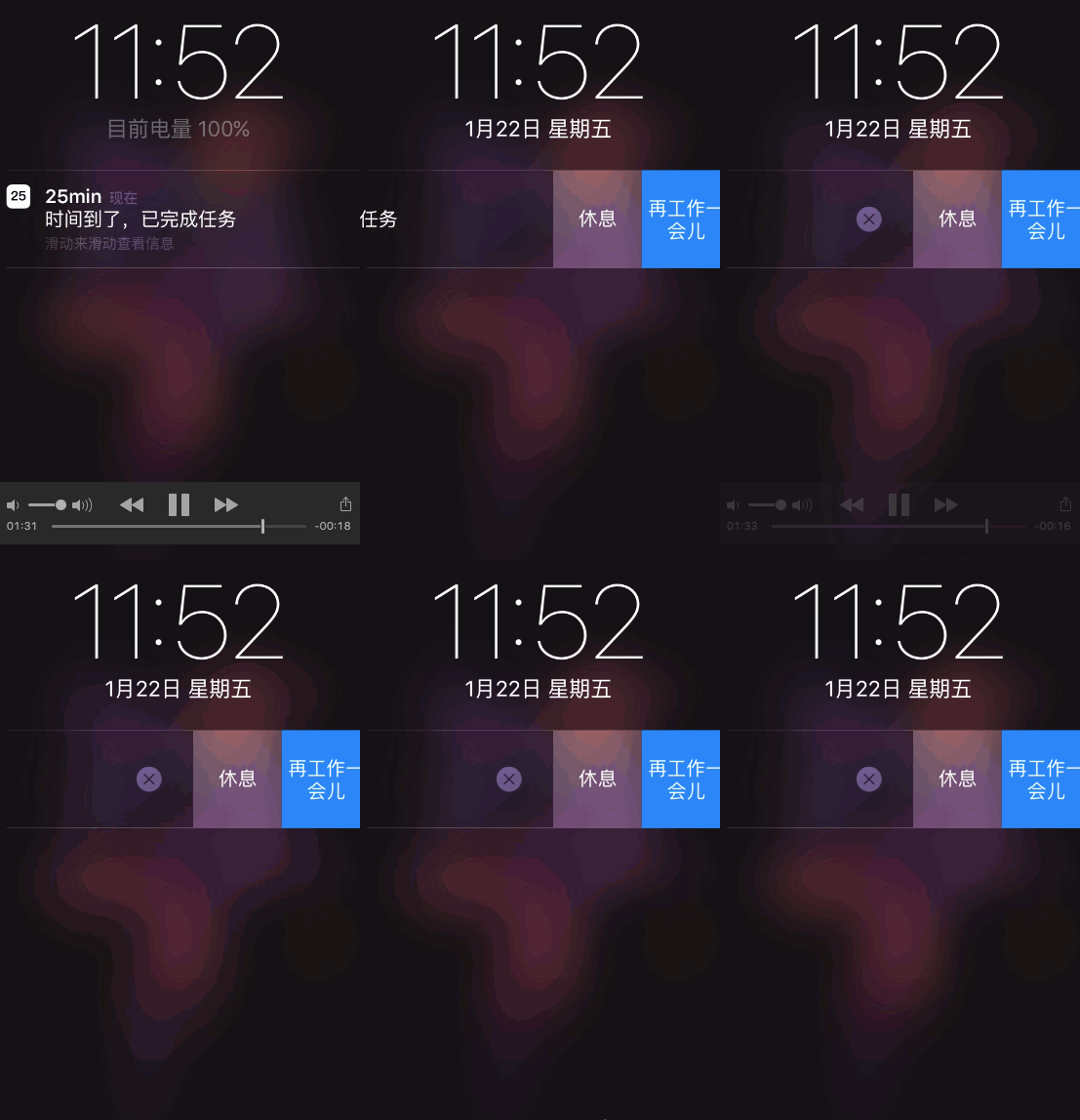
When a notification arrives, users can choose an action directly, avoiding opening the app and navigating to perform it.
The implementation article is here: Notification reminders — iOS development
This Item This File uses this technique.
Play music
The implementation article is here. Music player
This Item This File uses this technique.
TODAY WIDGET in Notification Centre
The result is:
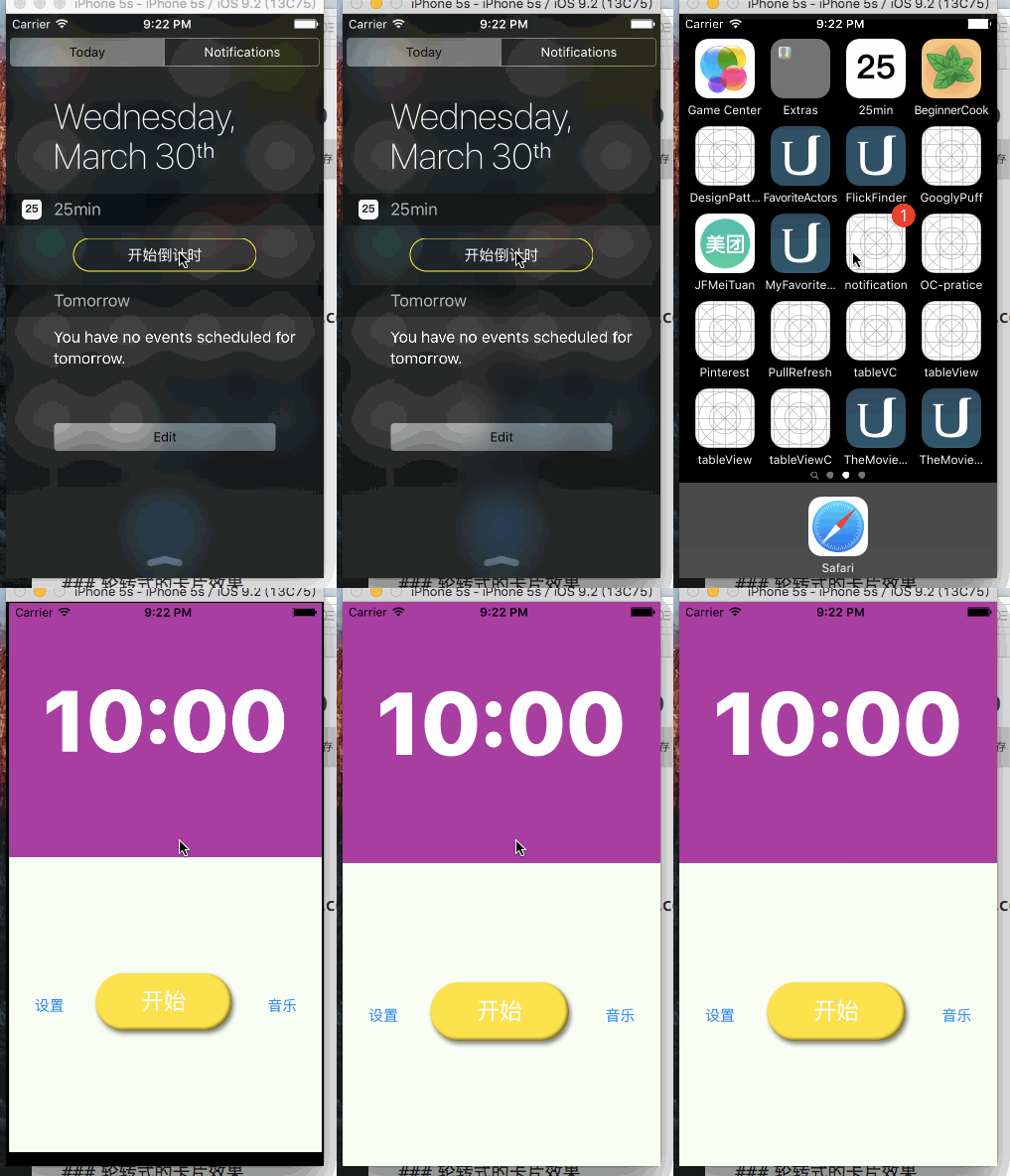
This File uses this technique.
Rotating card effect
First, here is the effect:
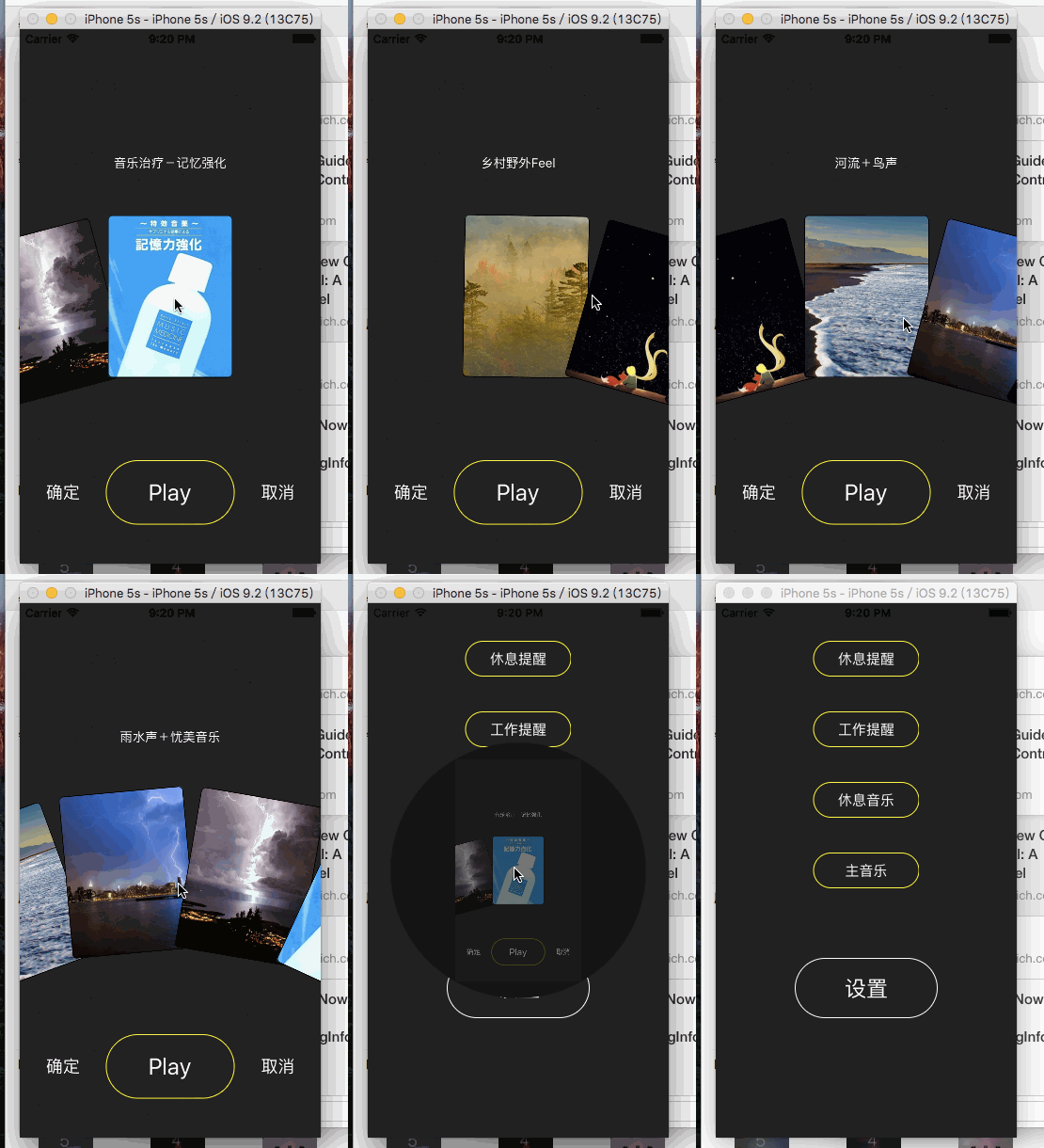
Because the tutorial is long, I wrote a separate article.
Use collectionView layout with a little mathematics.
This article explains creating your own layout rather than using UICollectionViewFlowLayout.
This Item This File uses this technique.
Article link: Make a UICollectionView rotate like a wheel
Custom Present ViewController
The result is:
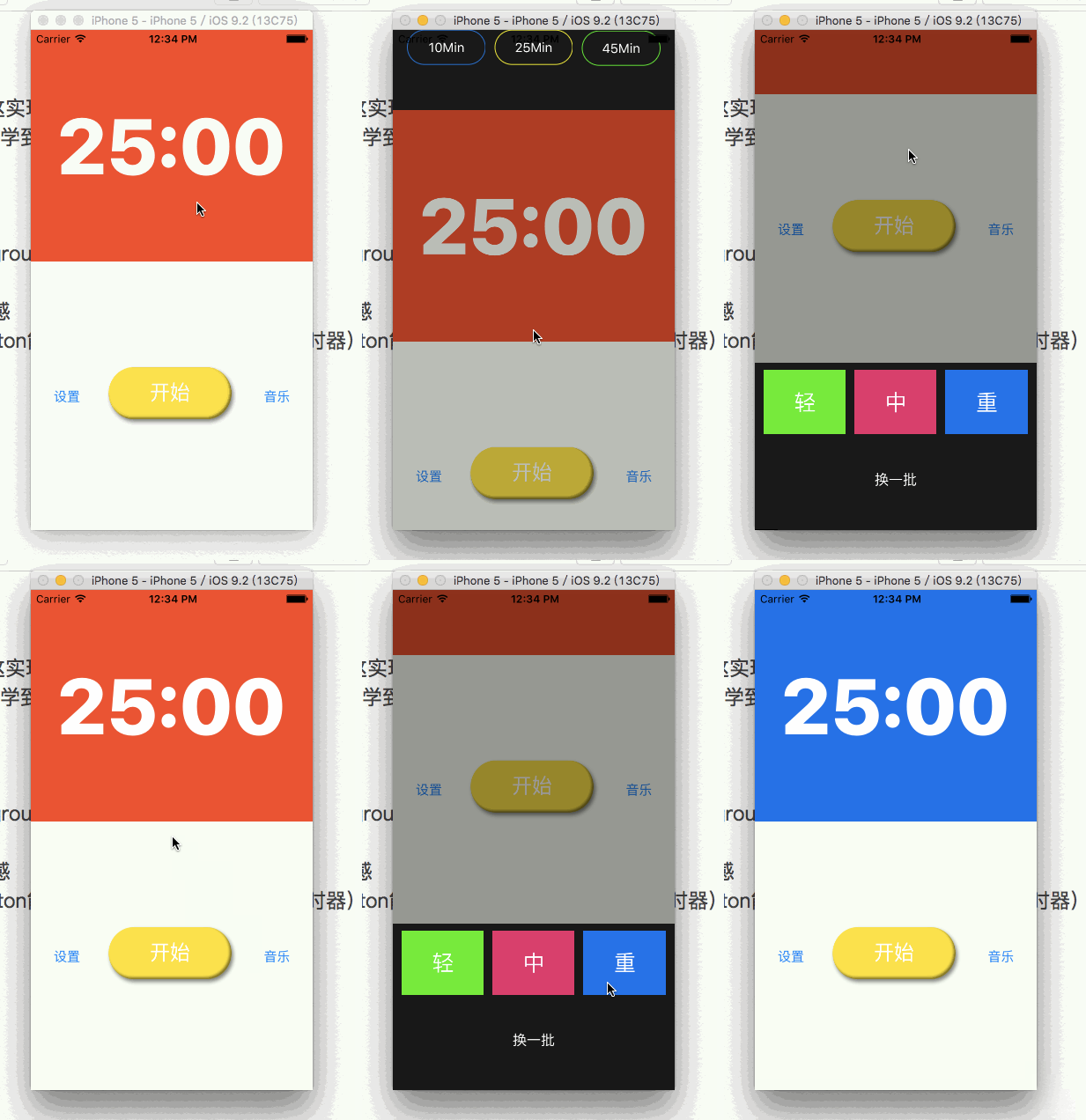
Tutorial: Custom presentation transitions
This Item This File uses this technique.
lldb
In this project I frequently use the expression command to pause the app at a breakpoint, change data and test.
As shown, change dimingView’s alpha directly:
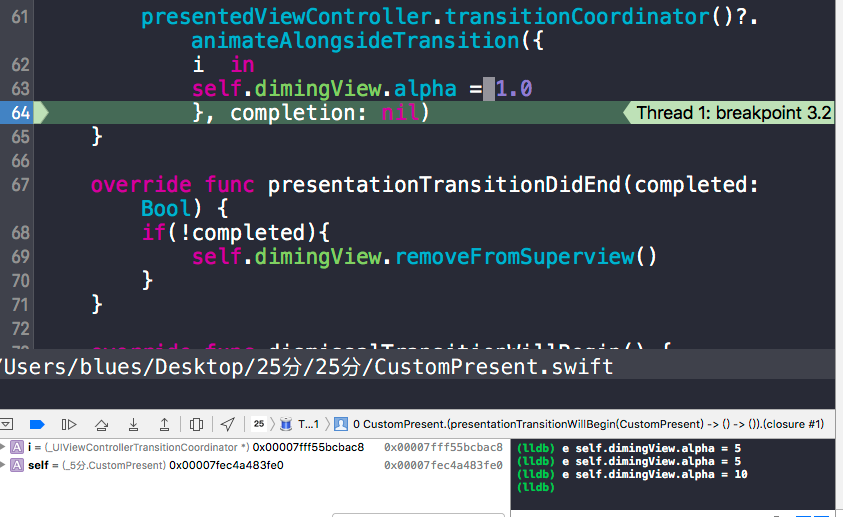
Link:
Read every file path in a directory
Use fileManager’s enumeratorAtPath and nextObject() to enumerate.
let appMainBundlePath = NSBundle.mainBundle().bundlePath

func filePathesInDir(dirPath:String) -> [String]{
    var filePathes = [String]()
    var fileURL:String


    let fileManager = NSFileManager.defaultManager()
    let enumerator = fileManager.enumeratorAtPath(appMainBundlePath + dirPath)


    while let element = enumerator?.nextObject() as? String{
        if let ext = ext {
                fileURL = appMainBundlePath + dirPath + "/" + element
                filePathes.append(fileURL)

    }

    return filePathes
}
An article about file-path access: Follow this link
Develop using xib
This makes UI setup quick.
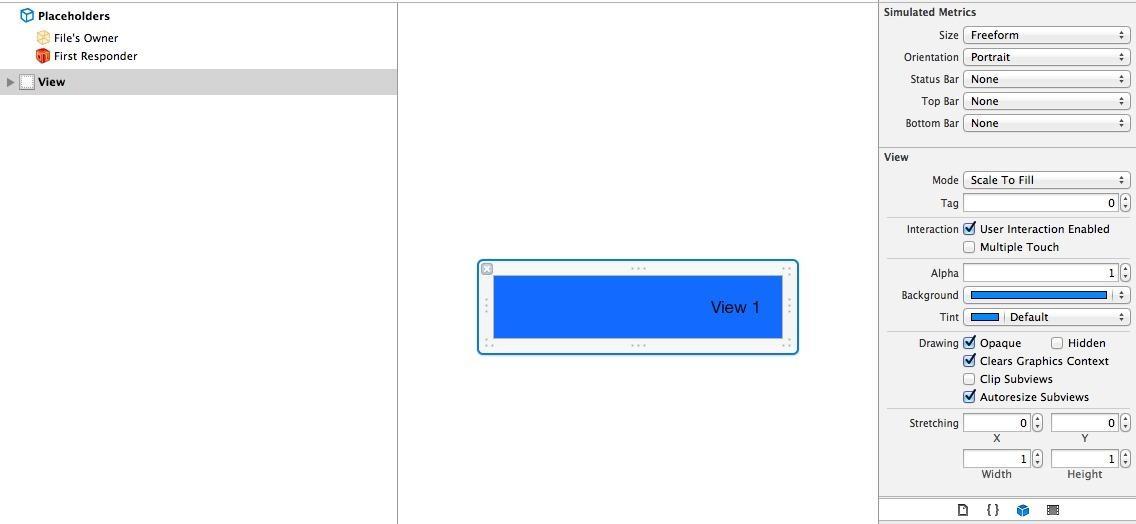
Each tutorial uses a demo, making it easy to learn. Links follow:
Tutorial link
Capsule-shaped Button
The result is shown below:
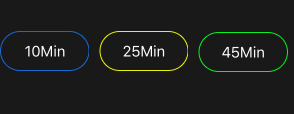
Principle: use the layer’s radius, as shown:
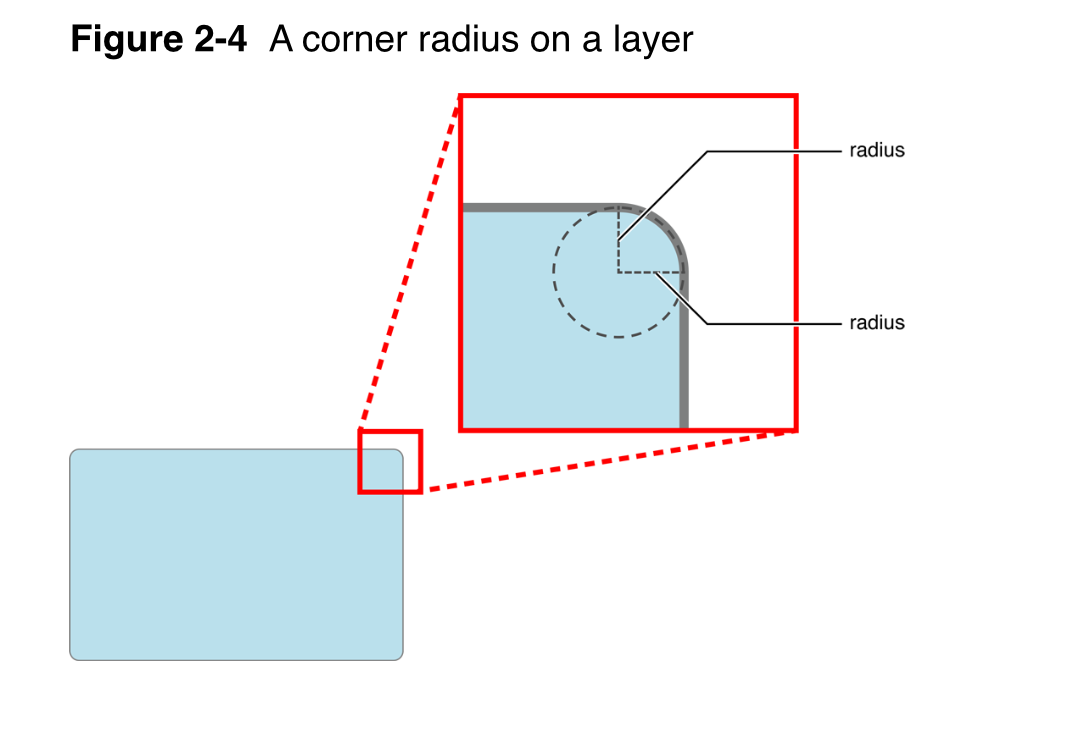
Then simply set radius = button height / 2.
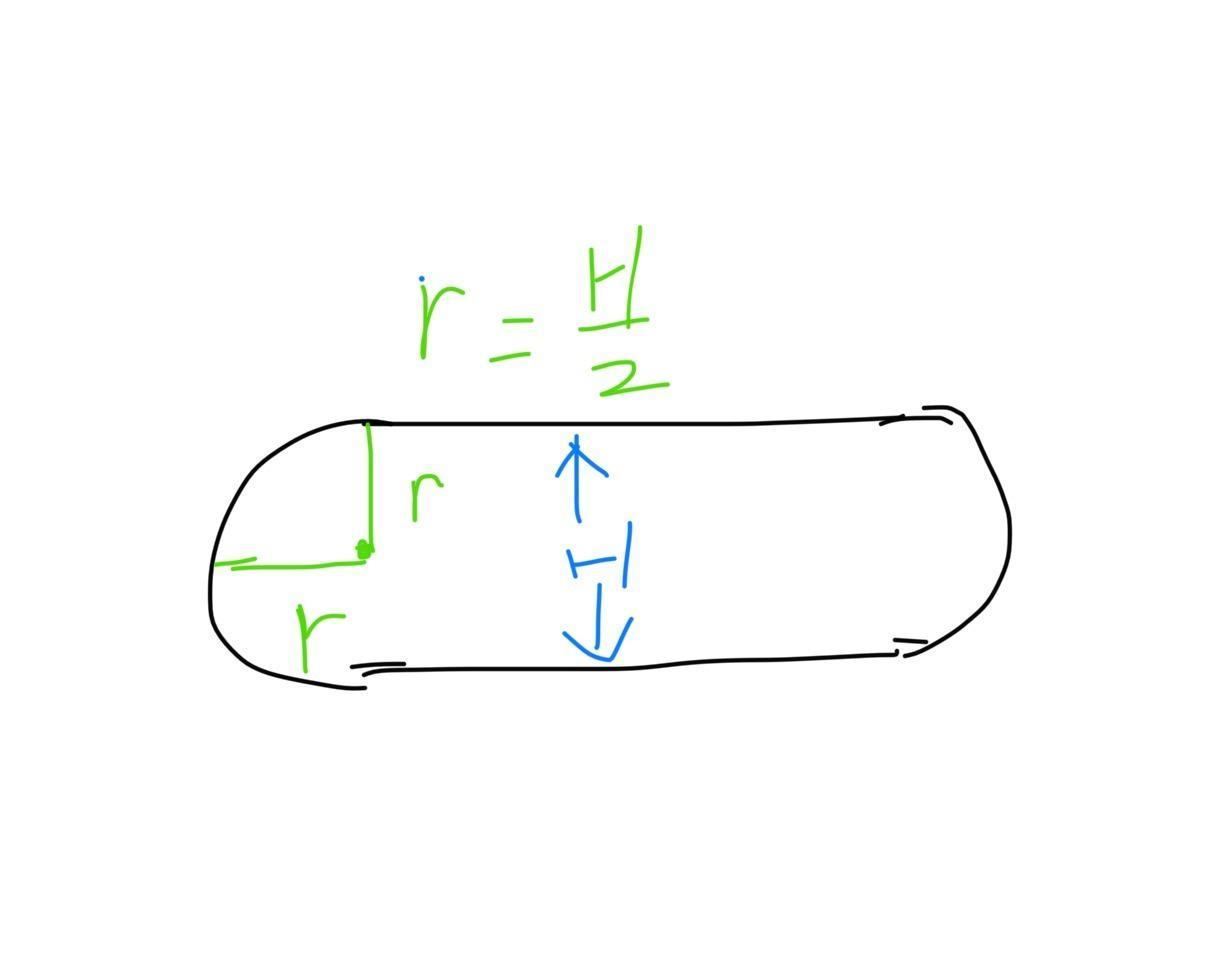
The code is as follows:
func makeRadiusBtn(btn:UIButton,borderColor:CGColor){
    let btnH:CGFloat = CGRectGetHeight(btn.bounds)

    btn.layer.borderColor = borderColor
    btn.layer.borderWidth = 1.0
    btn.layer.cornerRadius = btnH / 2
}
For more button effects, such as folded corners, see this blog:
Link:
Using CocoaPods
Article URL: CocoaPods usage notes
Get UIColor from hexadecimal
Since RGB colours online are commonly hexadecimal, supporting that notation in UIColor is useful.
One macro definition meets the requirement.
#define UIColorFromRGB(rgbValue) [UIColor colorWithRed:((float)((rgbValue & 0xFF0000) >> 16))/255.0 green:((float)((rgbValue & 0xFF00) >> 8))/255.0 blue:((float)(rgbValue & 0xFF))/255.0 alpha:1.0] <br>
Usage is as follows.
self.view.backgroundColor = UIColorFromRGB(0xCECECE);
How it works
#define UIColorFromRGB(rgbValue) \\\\\\\\\\\\\\\\
[UIColor colorWithRed:((float)((rgbValue & 0xFF0000) >> 16))/255.0 \\\\\\\\\\\\\\\\
                green:((float)((rgbValue & 0x00FF00) >>  8))/255.0 \\\\\\\\\\\\\\\\
                 blue:((float)((rgbValue & 0x0000FF) >>  0))/255.0 \\\\\\\\\\\\\\\\
                alpha:1.0]
Apply masks to extract the corresponding RGB digits, then right-shift using ».
For red, for example, 0xCECECE & 0xFF00000 = 0xCE0000. One hexadecimal zero represents four binary zeros, so 0xCE0000 » 16 = 0xCE. Divide by 0xFF (255) to obtain the proportion.
UILabel
Label properties
Automatic sizing
Set the URL Scheme
For example, I have an app called 25min.
In 25min’s info.plist, add a URL type, set the URL identifier and add URL Schemes. Item 0 under URL Schemes defines the beginning of the URL scheme.
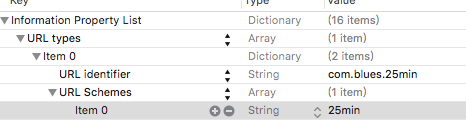
Then add the URL Schemes handling method in appDelegate.
//return true 则启动app,false则不启动。
    func application(app: UIApplication, openURL url: NSURL, options: [String : AnyObject]) -> Bool {
        return true
    }
Now 25min:// opens the 25min app. Test the URL in Safari to check whether it switches apps.
This Item This File uses this technique.
(END And Thank U)
Here,Includes complete project source code
Recommended reading: Combining AES encryption with Base64 encoding on iOS